How to add your ingredients
Add each ingredient once, with who you buy it from, how much is in one package and what you pay for it. Prophitable works out its cost per gram, and every recipe that uses it is costed from that.
Add an ingredient
-
Go to Ingredients and click Add Ingredient.
-
Under General Information, enter the Name and the Shelf Life. UPC, Brand and Description are optional.
-
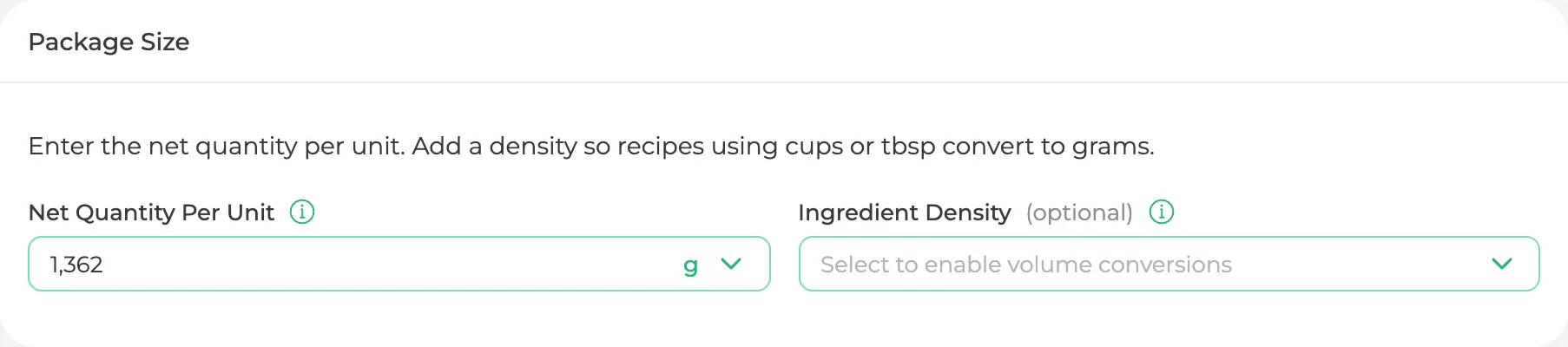
Under Package Size, enter the Net Quantity Per Unit, which is how much one package holds. Copy it from the label: a 1,362 g bag of almond flour holds 1,362 g.
- If your recipes measure it in cups or tablespoons, add an Ingredient Density so those convert to grams.
- If you count it instead of weighing it (eggs, lemons), choose pc and enter the Weight Per Piece.
-
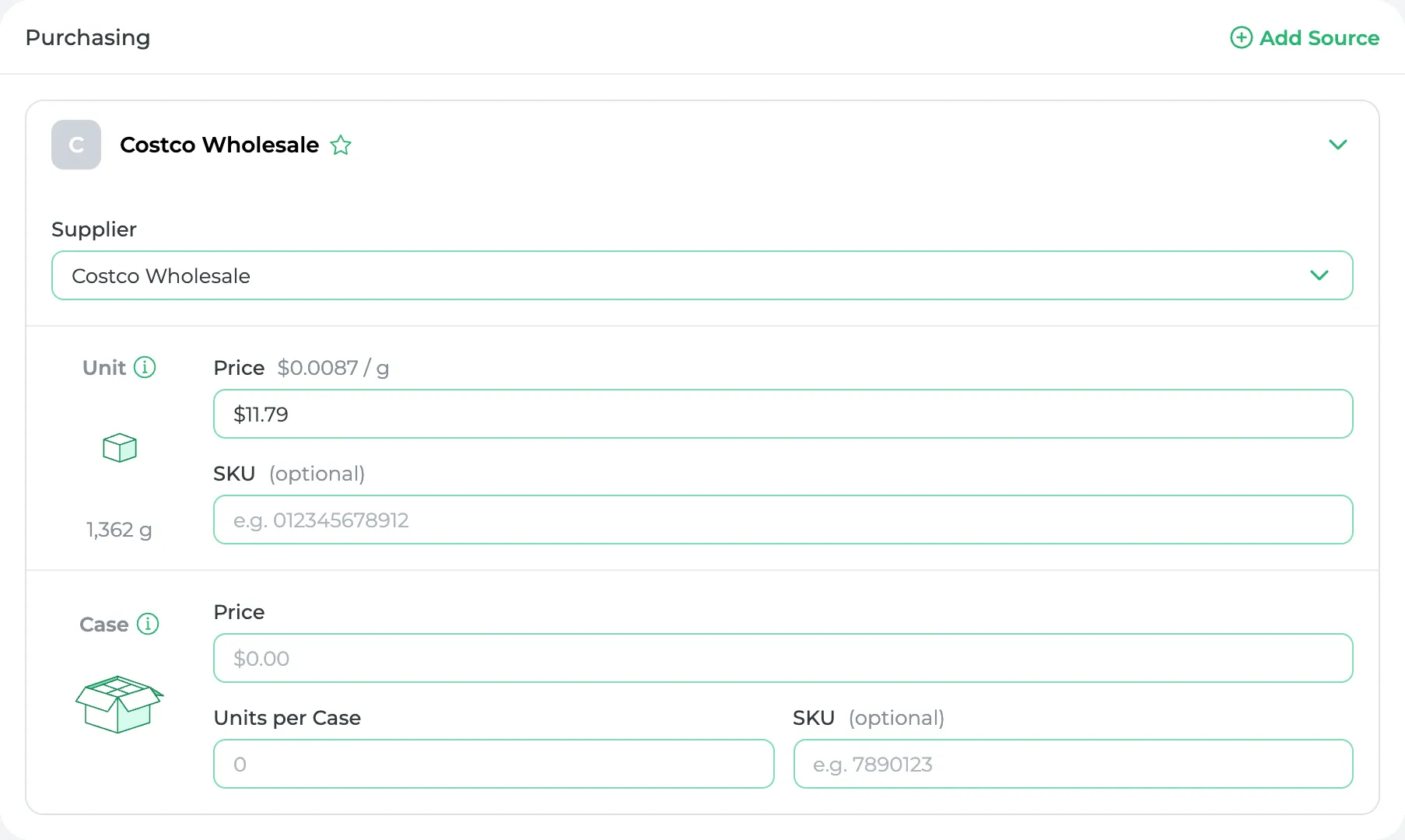
Under Purchasing, choose the Supplier (not in the list yet? click Add Supplier), then enter what you pay:
- Unit: the price of one package, the smallest one you'd open during production.
- Case: if you buy it by the case, the case price and the Units per Case.
If you buy it both ways, fill in both. Prophitable uses whichever costs less per gram.
-
Click Save.
Save won't go through until the ingredient has a name, a supplier, a shelf life, a net quantity and a price, because its cost is worked out from them.
What you'll see
The ingredient's cost per gram is on the Ingredients list, in the Cost / Gram column. The almond flour above costs $11.79 for 1,362 g, so it shows $0.0087. Any recipe that uses 100 g of it carries $0.87 of almond flour.
When the price changes, edit it and save. Prophitable lists the recipes and products that use the ingredient, and Update All re-costs them.
Stock is optional for now
You don't need to enter what's on your shelf to get costs. When a purchase order arrives, receiving it adds the stock for you. To count what you have today, open the ingredient, go to Stock and click Add Stock.
Have a lot of ingredients?
Click Import on the Ingredients page and upload the spreadsheet you already keep. You'll see what it read and can fix anything before it's saved.
Did this answer your question?
Thanks for letting me know.
Thanks. I read every one of these myself.