How to add packaging
Build each package from the materials that go into it, like the jar, the label and the insert, plus the time it takes to put together. Prophitable adds them up into what one empty package costs you.
Add a package
-
Go to Packages and click Add Package.
-
Under General Information, enter the Name. The Weight is optional. It's the packaging alone, and it's used for shipping weight.
-
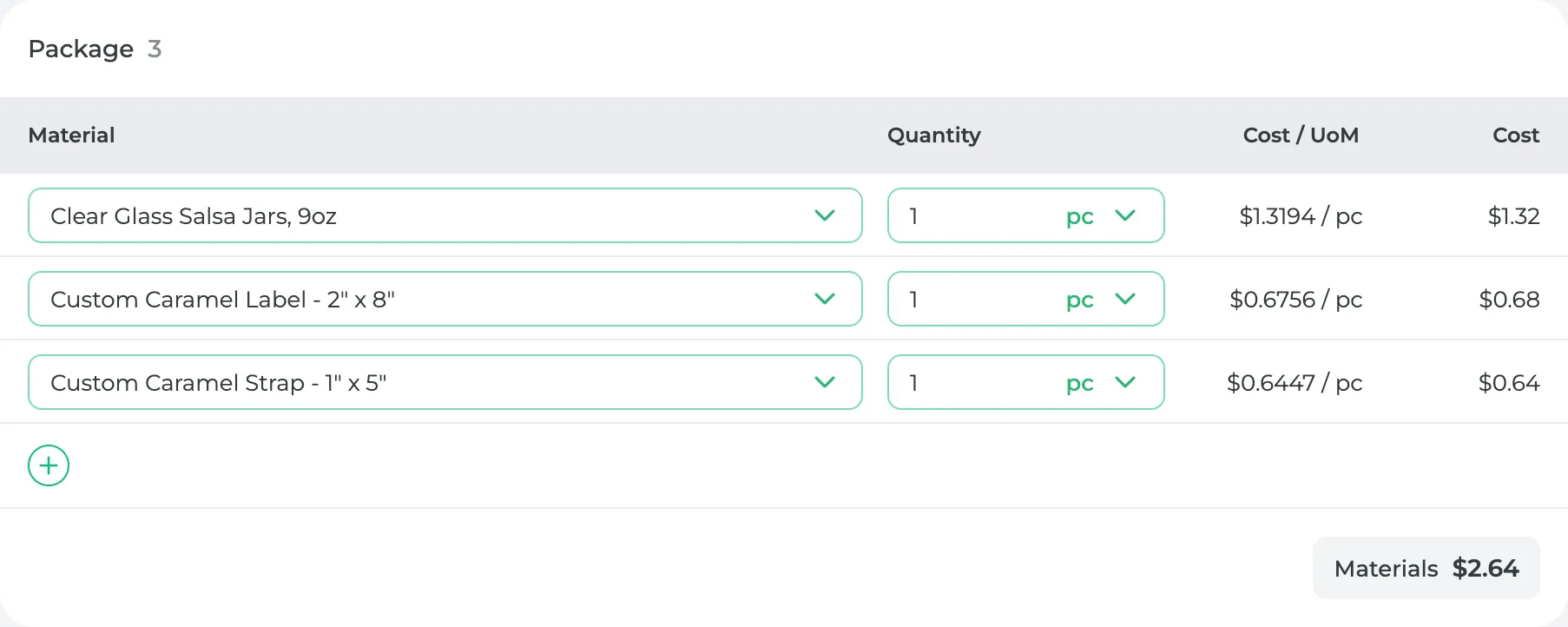
Under Package, click + to add each material and how many one package uses (one jar, one label, 25 candy cups).
-
Under Assembly Steps, click + to add each step, like folding a box or putting on a label, with how long it takes for one package.
-
Click Save.
Save won't go through until the package has a name and at least one material with a quantity. If you save without any steps, Prophitable checks first, because a package with no time has no labor cost.
What you'll see
The package's Cost / Unit is at the bottom of General Information: its materials plus the labor for its steps. The caramel jar uses $2.64 of materials and 55 seconds of work, so it costs $3.20.
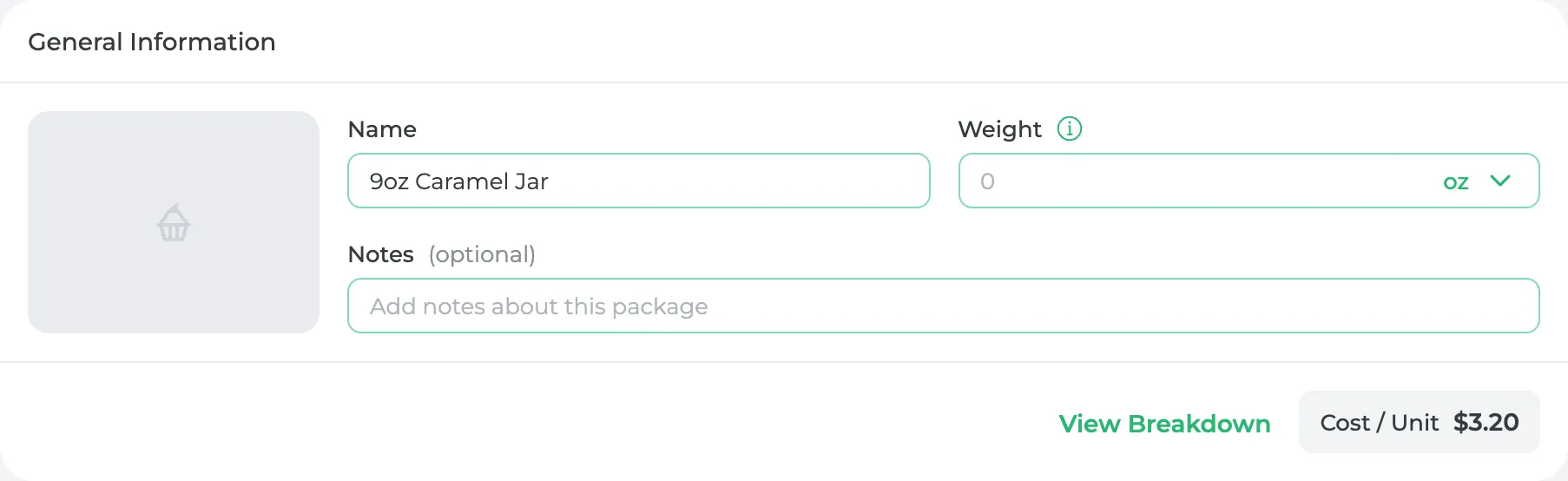
A package is what an empty package costs. The food goes in when you build the product.
Buy some packaging already made?
If your settings say some packaging comes finished from a supplier, you'll see an Externally Produced toggle in General Information. Turn it on for things like printed pouches or branded boxes, then add the supplier and its price instead of materials. You can only turn it on before the package is first saved.
Have a lot of packages?
Click Import on the Packages page and upload the spreadsheet you already keep. You'll see what it read and can fix anything before it's saved.
Did this answer your question?
Thanks for letting me know.
Thanks. I read every one of these myself.