How to add your suppliers
Add each business you buy from once. Every ingredient, material, purchase order and scanned receipt is filed under its supplier, and the tax rate and shipping fee you set here fill in on that supplier's purchase orders.
Add a supplier
-
Go to Suppliers and click Add Supplier.
-
Under Supplier Information, enter the Company Name. Everything else on the page is optional, so you can save a supplier with just its name.
-
Fill in what helps you order from them:
- Supplier Information: their Company URL and address.
- Primary Contact: who you talk to, with their email and phone.
- Supplier Requirements: a Minimum Order, the Lead Time and any Notes.
-
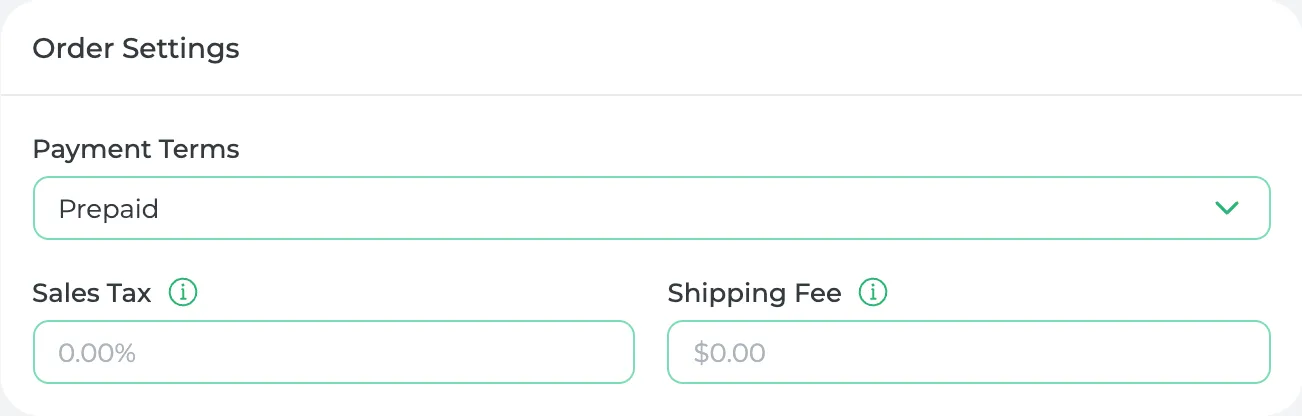
Under Order Settings, set the Payment Terms, and the Sales Tax and Shipping Fee they usually charge you.
-
Click Save.
What the order settings do
Sales Tax and Shipping Fee fill in on their own when you pick this supplier for a purchase order, so you don't type them each time.
The tax only counts on items you've marked as taxed. On an ingredient or material, turn on Is this product taxed? and its purchase orders add the supplier's rate.
Already adding an ingredient?
You don't have to leave the page. When you pick a supplier for an ingredient or material, click Add Supplier in the list, and finish their details later.
What you'll see
Open a supplier and go to Purchase History. Connected Items lists everything you buy from them, and below it are their purchase orders.
If you change a supplier's Sales Tax and some of its items are taxed, Prophitable asks before saving, then re-costs those items.
Buy the same thing from two suppliers?
Add both. On the ingredient or material, click Add Source under Purchasing to add the second supplier and its price.
Did this answer your question?
Thanks for letting me know.
Thanks. I read every one of these myself.