How to complete a sales order
Add a sales order for a customer, then mark it Shipped when it goes out. Shipping it takes the products out of stock and shows your profit on the order, after packaging, delivery and fees.
Create a sales order
- Go to Sales Orders and click Add Sales Order.
- Under General Information, pick the Customer (each of their locations is listed) and the Fulfillment Type:
- Pickup: the customer collects it.
- Shipping: a carrier delivers it. Shipping orders need a Postage Fee.
- Delivery: your team delivers it.
- Check the Delivery Deadline.
- Under Products, click Add Product, pick the product and enter the Qty. Price / Unit starts at the customer's price list price, or your product's own price.
- If it goes out packed, click Add Materials under Shipping Materials for the box, labels and so on. For whoever packed or delivered it, click Add beside Labor under Shipping & Handling.
- Click Save.
Complete it
When the order goes out, set Ship Status to Shipped. That's what completes it.
The products come out of stock, the soonest-to-expire first. If some aren't in stock, Prophitable checks with you first. You can still ship, and the shortfall is recorded. Shipping can't be undone.
An order on a transport order is marked Shipped when the transport order is delivered.
What you'll see
The Profit Summary card breaks the order down.
- Total Sale: the Subtotal, less any Discount, plus the Tax Rate and Shipping Charged.
- Production Costs: the Ingredients, Materials and Labor in the products.
- Shipping & Handling: the packaging Materials, Labor, Fuel & Mileage for deliveries, and the Postage Fee for shipped orders.
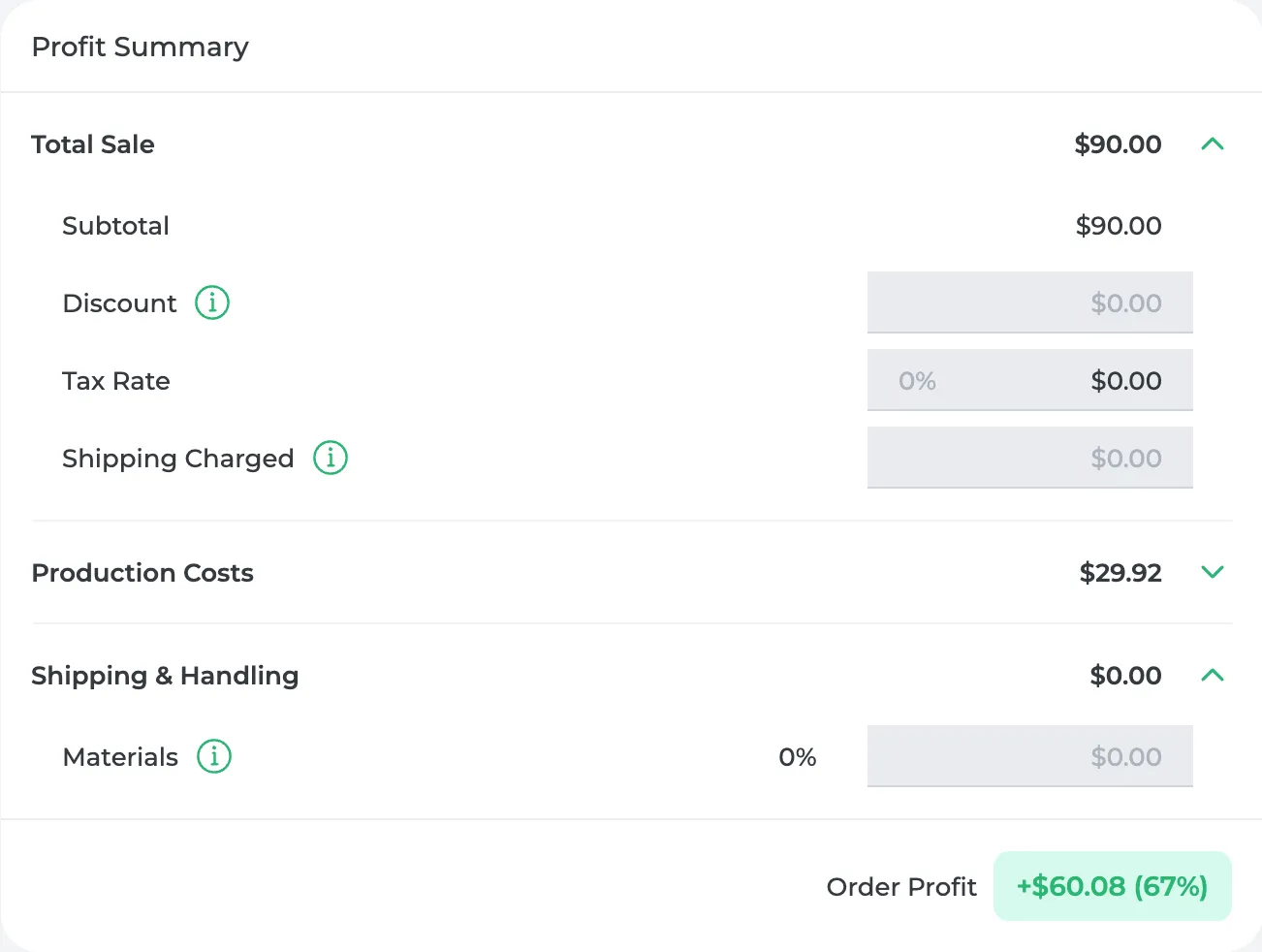
At the bottom is Order Profit, with your margin. Sales tax is shown as Sales Tax Collected and kept out of the profit. Once the order ships, its costs come from the batches and packaging that actually went out.
Only owners and admins see production costs and profit. On the Starter plan you can create 25 sales orders a month.
Did this answer your question?
Thanks for letting me know.
Thanks. I read every one of these myself.